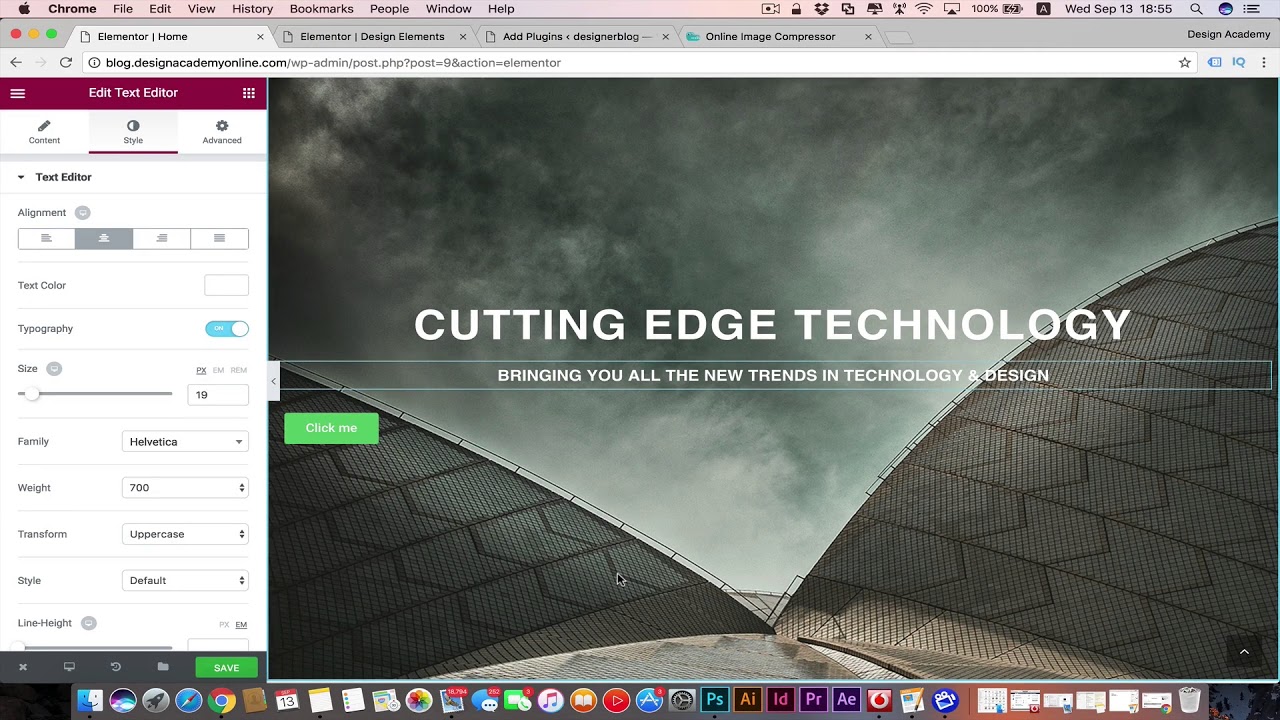
designing website header & banner part1
Udemy Course DISCOUNT Link for only 10$ : https://www.udemy.com/wordpress-complete-web-design-latest-wordpress-design-techs/?couponCode=ELEMENTORYOUTUBE
Master wordpress website design with Elementor: beginner to Advanced with no coding&build wordpress ecommerce web Design:
WORDPRESS is that amazing tool to build & develop a website with no coding or web design experience and you don’t even want to know about web design to make a beautiful website because WordPress got all those breathtaking beautiful themes.
This is the perfect place to start your WordPress Web Design & Web development course.
This Course we will be using the latest techniques to design our WordPress website using the Elementor Drag & Drop page builder giving us the flexibility to design or do anything within our WordPress website without the restrictions of the WordPress themes talking our web design to the next level.
In the WordPress course we will be learning Web Design & demonstrating Design theories & Fundamentals including design ratios, colors, fonts & more to achieve the best design visuals possible for our web design & development including Latest Design Trends.
Also you will learn how to use the Elementor & WordPress theme to create a beautiful WordPress Ecommerce store that attracts your customers and shows your products at it’s best design aspect & presentation Managing all the store customizations including tax, shipping, sales & even discount coupons.
This is a very practical course i will walk you through the steps and together we will be building your WordPress website step by step so by finishing this course you will have your website designed with its customization & getting the best out of it.
I tried to make this wordpress web development course so concentrated straight to the point making it so complete in the shortest possible time editing all the loading boring times or excluding all the bla bla that is not going to be useful to the students.
WordPress is powering more 28% of overall internet websites. its a perfect tool & has been used for big websites like ( Mercedes benz, xerox, ebay inc, bestbuy..etc) & you can customize your wordpress website for any purpose. Whether you want to create a personal portfolio, a blog, or a business website to sell your products and services.
You will learn how to build & do web development for your wordpress website for free except for the hosting plan but everything else i will be showing you all the free methods to do it like the premuim even for elementor i will teach you to make it like a pro version with free plugins.
Some of my students comments on my best selling wordpress course :
” Interesting! Your style in explaining the topic is interesting. Good course! I have made my website right now, and within days it will be LIVE. Thanks a lot, this course is a great help” Mohamed Elshahidi
“course, very helpful in understanding complete WordPress website with e-commerce. Instructor is also very helpful and quick to reply Q&A section.” Mr. Qamar Faisal
“Comprehensive course from great instructor” Mohammed Sobhi
“simple explanation and clear keep going” Elad Mohammed
“Thank you for amazing course” Zitou Ossama
Summary of what you get from this course :
Know about the wordpress web development.
Wordpress Online hosting, Domains & subdomains.
how to optimize images & create creative Art direction with photoshop.
Master the brand new Elementor page builder.
Know how to convert to Elementor pro using free plugins.
how to web design your own beautiful Modern Responsive website using WordPress.
You will know how to design web pages, menus, sidebars, footers.
Apply Design rules to create professional, beautiful, Modern website for any purpose.
You will know how to set up contact pages & WordPress contact form.
how to set up email opt-in forms throughout your website for email marketing.
how to find and install plugins.
Complete woocommerce wordpress ecommerce plugin tutorial.
Build online 24/7 wordpress ecommerce store.
learn to create discount coupons & sale offers.
How to convert your website into https secure (encrypted connection & SEO ranking development).
How to master your online store in all details ( shipping, tax, payments..etc).
how to back up your WordPress website in case of emergency.
increase SEO ranking for your website with Analytics, webmaster tool & SEO plugins.
You will know how to speed up your website’s performance with caching plugins.
how to build official professional domain emails.
WordPress website migration and moving sites to different hosts and servers.