
Fundamentals of HTML in Dreamweaver CS5 – Part 1
Fundamentals of HTML in Dreamweaver CS5 – Part 1
To receive our web designers discount from Godaddy on domains and webhosting, please visit: http://www.dpbolvw.net/click-6394011-10378406…
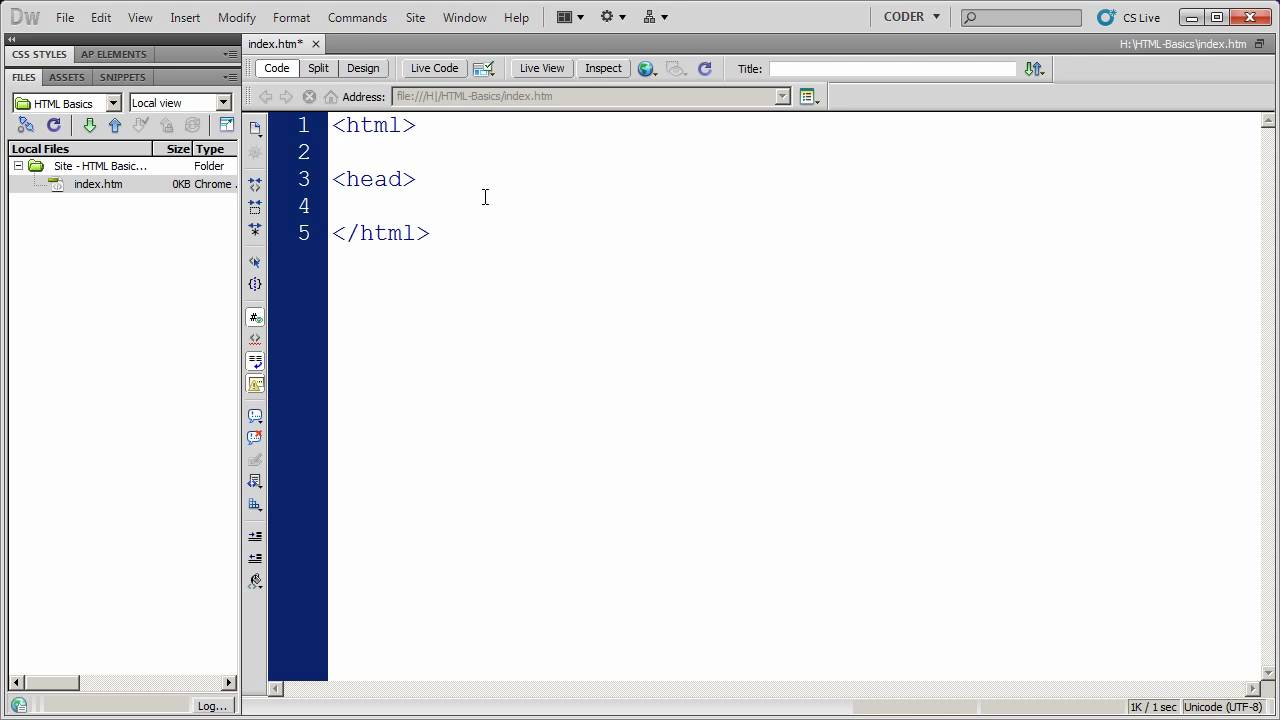
Fundamentals of HTML in Dreamweaver CS5 – Part 1
Fundamentals of HTML in Dreamweaver CS5 – Part 1
To receive our web designers discount from Godaddy on domains and webhosting, please visit: http://www.dpbolvw.net/click-6394011-10378406…

Purpose of Web Page…
Fundamentals of Good UI Design
Paul Rand pointed out that sadly, we’re more familiar with bad design than good design. And that’s caused us to be more conditioned to prefer bad design.
But we don’t have to put up with it. We are delighted when we experience good design.
Speaking to a room of developers at Silicon Valley Code Camp, Uday Gajendar, Principal Product Designer for Citrix, gave a session on the “Fundamentals of Good UI Design.”
As you go into any screen design project, remember, said Gajendar, every button, icon, text, tab, menu item is just yet another visual and cognitive signal that a user must process and learn, thus increasing the choices to be evaluated even if it’s just for a split second.
After the presentation, Gajendar and I joked about how the audience was looking for tools and recipes to create the perfect design. The problem is design is not an exact science. It’s never clear when you have it perfectly right. It requires lots and lots of practice.
Eight fundamentals to good UI
Gajendar broke up his presentation into eight fundamentals. The first half are the visual presentation of communications. The second half have to do with interaction and experience.…
Let’s Build: A Consultancy Website – Part 1
Hi, My name is Andy Leverenz. I design, code, and am an author of things. Check out my agency called Couple of Creatives https://coupleofcreatives.com and my blog Web-Crunch https://web-crunch.com ??
=======
Today marks the beginning of a new series of which I’m titling “Let’s Build”. The idea is to build something new and screencast the process all while using new technologies so both you and I can learn along the way.
My hope is to document this with a variety of realistic projects so both you (the reader/watcher) and I, can learn in real time. Some of the content in mention will revolve around design, some around development, and some around both.
To kick things off I am starting with a consultancy website.
Purpose:
The true purpose of this series is to establish a new side venture for my partner Alyssa whom I work at Couple of Creatives with regularly. A new website with freshened branding is required to help Alyssa’s side project prosper. The services she offers today have since changed from years before. She wants a new home to showcase what she can bring to the table as a brand strategist/consultant rather than designer.
Overview/Backstory:
Alyssa has another freelance business which she started long before her and I merged to create Couple of Creatives. The business was, and still, is known as Endlyss Designs. Starting out she specialized in providing graphic design services as well as general help with branding for businesses of all varieties. Her clients ranged from small businesses to corporations. She worked as a freelancer for about 5+ years and later decided to team up to work together with me (Andy Leverenz) so we could offer a one-stop shop type of solution to our clients. I myself, specialize in web design and development which is why I’m a part of this project.
This project is also an entity of Couple of Creatives. Assuming Alyssa gains clientele in need of branding, web design, web development, and more she can refer Couple of Creatives as the agency to help bring things to life.
Deliverables:
– Refreshed Branding
– Responsive Website
– Website style guide
Read more below….
? Previously published at:
https://web-crunch.com/lets-build-consultancy-website-part-1/
? Check out the blog:
https://web-crunch.com
? ? Check out my agency:
https://coupleofcreatives.com
? Links:
Weekly Newsletter: https://web-crunch.com/subscribe
Twitter: https://twitter.com/webcrunchblog
Twitter(Personal Account): https://twitter.com/justalever
Facebook: https://facebook.com/webcrunchblog
Dribbble: https://dribbble.com/justalever
Github: https://github.com/justalever
Medium: https://medium.com/the-web-crunch-publication
?Check out my book on UX Design:
“LUXD: Learn User Experience Design”
https://web-crunch.com/books/luxd
? Check out my FREE book on Tumblr Theming:
“Pro Tumblr Theming”
https://web-crunch.com/books/ptt
?Recommended Stuff I Use to Shoot Video:
Canon EOS Rebel SL1 – http://amzn.to/2m3EZDH
Linco Lighting Set – http://amzn.to/2mF8Shs
Logitech HD Pro Webcam C920 – http://amzn.to/2mpqzBk
Rode NT-USB Condenser Microphone – http://amzn.to/2mFhaG9
? Need awesome web hosting? Check out cloudways. They allow me to use a variety of hosting providers and build apps with ease:
http://bit.ly/webcrunchhosting…
HTML Fundamentals Part 3: Putting Content on the page
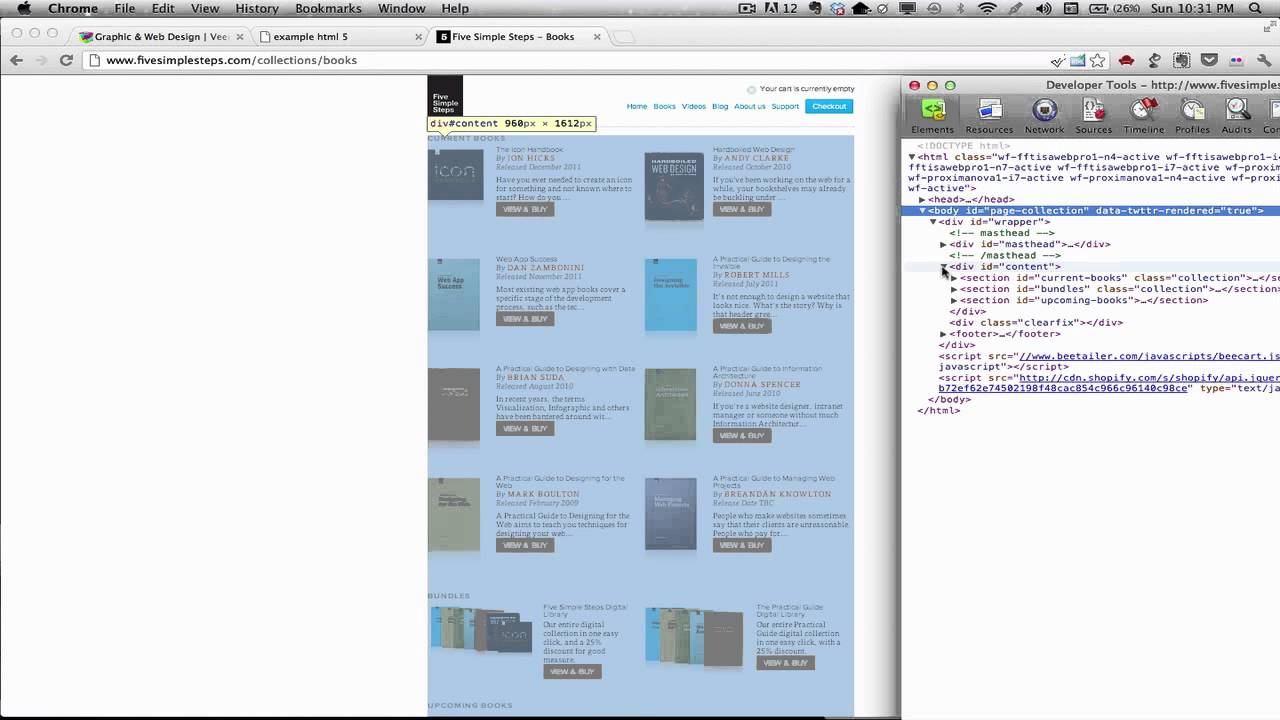
This is the third part in a multipart series on HTML Fundamentals. This part shows how to mark up content on the page. Probably what most new web developers are most interested in.
I must say that at over 40 minutes, this part is by far the longest. That’s because I try to show how to write and explain the semantics behind many of the most common HTML elements you will use to add content to the page.
Part 1: http://www.youtube.com/watch?v=YZTJ7DAbU7g
Part 2: http://www.youtube.com/watch?v=L1uZERilK44
Part 3: this video…
How to Make a Website – Web Design Tutorial
Video Sponsor: http://www.wix.com/ – make a website today!
I hope you enjoyed this video on web design, let me know your feedback in the comments below!
Get my eBooks, Brushes, References and more:
http://www.jazzastudios.com/Shop.php
Check out my daily Behind the Scenes and Vlogs:
https://www.youtube.com/dailyjazza
——————————–
Follow me on Facebook:
http://www.facebook.com/Josiah.Jazza.Brooks
Twitter:
Tweets by JosiahBrooks
Newgrounds:
http://jazza.newgrounds.com/follow
——————————–…
fundamental html
In this HTML website design tutorial I will teach you how to write and format your very first web page using HTML ……
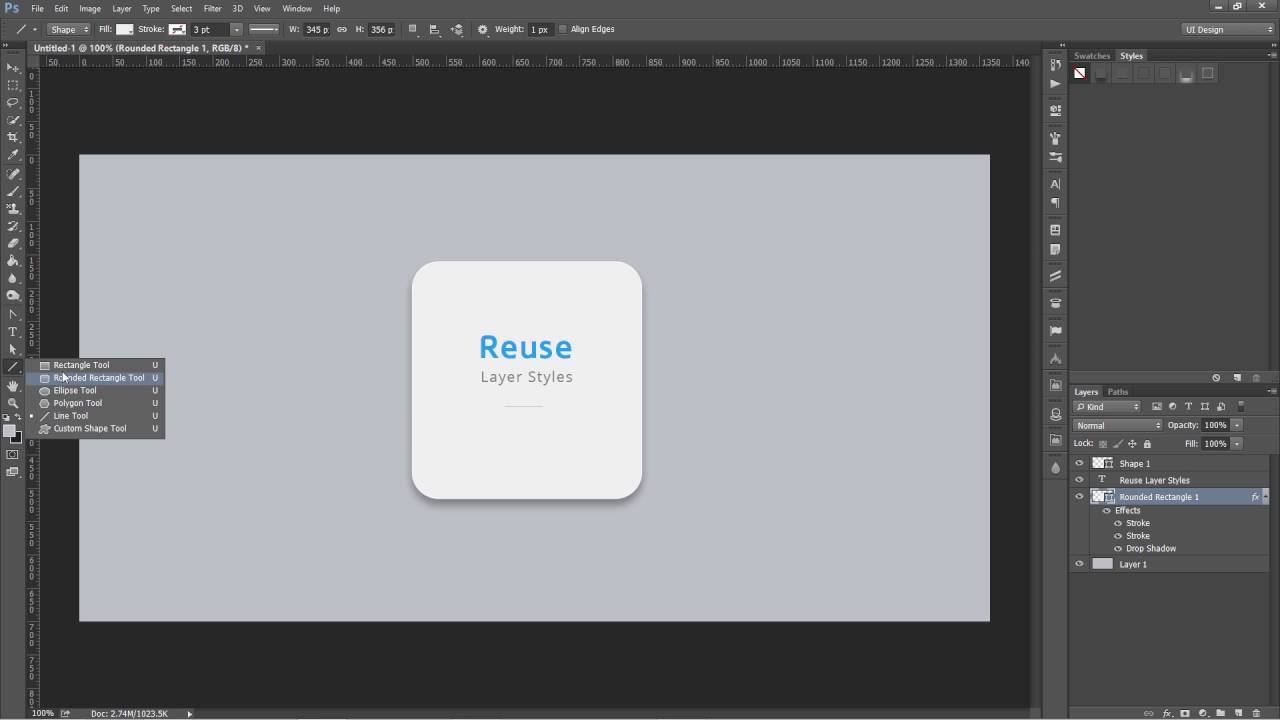
UI Design in Photoshop – How to save Photoshop Layer styles and reuse them
In this Photoshop tutorials, we will learn how to save layer styles and how to reuse layer styles
—————————————————————-
To learn more about UI Design using Photoshop and learn to design awesome web designs and mobile app designs
Take my course for ONLY (Limited Coupons)
http://bit.ly/UICOURSE381
Learn about Photoshop Shortcuts, scripts, extensions and techniques professional UI Designers use while designing for Web and Mobile
• This course covers in detail about all the basics of Photoshop for UI Design.
• Course core focus is UI Design so you can apply all this knowledge to Landing Page design, Web App or Mobile App Design
• This course will cover all the Common Shortcuts, tools and Secret Extensions to increase speed and efficiency in Photoshop
• Learn how User Interface Designers use Photoshop in their daily routines
• Get to know how to create and use guides using Photoshop Extensions
• Learn how to install and use Photoshop Extensions for UI Design purpose
• Learn how to use Gradients and color overlays to create Modern Header designs…
WordPress Tutorial 1: Introduction
This is the beginning of a series on WordPress. In this initial lesson we learn what WordPress is, why it’s useful, and get a feel for what we’ll learn in upcoming lessons (admin screens, custom theme development). Check out my updated (2017) premium WordPress for Beginners course: https://www.udemy.com/wordpress-for-beginners-create-a-website-blog-step-by-step/?couponCode=YOUTUBE-HALF
Watch the full playlist for this WordPress series:
To view a complete list of the WordPress lessons in sequential order visit:
Want to share the WordPress website that you’ve been creating on your computer with the world? Learn about the web host I use and how you can get a domain + hosting for .95 a month ( savings): http://learnwebcode.com/web-hosting/
Sign up for my newsletter to receive periodic webDev tips, tricks, resources and coupons. Join the list at http://learnwebcode.com/
Follow LearnWebCode on Twitter for resources and updates:
Tweets by learnwebcode…

Software Development Fundamentals, 04, Web Applications
www.epcgroup.net | sharepoint@epcgroup.net | Phone: (888) 381-9725
* SharePoint Server 2013, SharePoint Server 2010, and SharePoint 2007: Review, Architecture Development, Planning, Configuration & Implementations, Upgrades, Global Initiatives, Training, and Post Go-live Support with Extensive Knowledge Transfer
* Health Check and Assessments (Roadmap Preparation to Upgrade to 2013 or 2010) – Including Custom Code & Solution Review
* Enterprise Content Management Systems based on Microsoft SharePoint
* Enterprise Metadata Design, Taxonomy | Retention Schedule Development | Disposition Workflow, and Records Management Implementations
* Roadmap, Requirements Gathering, Planning, Designing, and Performing the Actual Implementation
* Best Practices Consulting on SharePoint 2013, 2010, 2007 | EPC Group has completed over 725+ initiatives
* Intranet, Knowledge Management, Internet and Extranet-Facing as Well as Mobility (BYOD Roadmap), Cloud, Hybrid, and Cross-Browser | Cross-Platform Solutions for SharePoint 2013 / 2010 with Proven Past-performance
*Upgrades or Migrations of Existing Deployments or Other LOB Systems (Documentum, LiveLink, FileNet, SAP, etc.) using EPC Group’s Proven Methodologies (On-Premises, Hybrid, Virtualized, or Cloud-Based Infrastructure Design)
* Custom Application, Feature, Master Pages, Web Parts, Security Model, Usability (UI), and Workflow Development (i.e. Visual Studio 2012)
* Migration Initiatives to SharePoint 2013 / SharePoint 2010
* Key Performance Indicators, Dashboard & Business Intelligence Reporting Solutions (PerformancePoint 2013, SQL Server 2012, BI, KPIs, PowerPivot, Scorecards, Big Data Experts)
* Experts in Global Enterprise Infrastructure, Security, Hardware Configuration & Disaster Recovery (Global performance considerations, multilingual, 1mm+ user environment experience)
* Tailored SharePoint “in the trenches” Training on SharePoint 2013, 2010, 2007 as well as Project Server and Custom Development Best Practices
* Support Contracts (Ongoing Support your Organization’s 2013, 2010, or 2007 Implementations)
* .NET Development, Custom applications, BizTalk Server experts
* Project Server 2013, 2010, and 2007 Implementations and Consulting
* SharePoint Roadmap & Governance Development: 6, 12, 18, 24 and 36 months (Steering Committee & Code Review Board Development)
* Corporate Change Management & End User Empowerment Strategies
* EPC Group’s WebpartGallery.com – Customized Web Parts Based off of “in the trenches” Client Needs
With over 14 years of experience, EPC Group delivers time tested SharePoint methodologies that ensure success within your organization.
Engagement with EPC Group carries unique offerings and knowledge. Currently having implemented over 725+ SharePoint engagements and 75+ Microsoft Project Server implementations, we are the nation’s leading SharePoint and Microsoft platform related consulting firm.
EPC Group will be releasing our 3rd SharePoint book in August of 2013 by Sams Publishing titled, “SharePoint 2013 Field Guide: Advice from the Consulting Trenches” which will be like having a team of Senior SharePoint 2013 consultants by your side at each turn as you implement this new powerful and game changing software platform within your organization.
SharePoint 2013 Field Guide: Advice from the Consulting Trenches will guide you through all areas of a SharePoint initiative from the initial whiteboarding of the overall solutions to accounting for what your organization currently has deployed.
It will assist you in developing a roadmap and detailed step-by-step implementation plan and will also cover implementation best practices, content management and records management methodologies, initial SharePoint 2013 development best practices, as well as mobility planning.
SharePoint 2013, Microsoft SharePoint 2013, SharePoint Consulting, Microsoft SharePoint consulting, SharePoint Consulting Firm, Top SharePoint Firm, SharePoint 2013 Consulting,SharePoint 2010 Consulting, SharePoint ECM Consulting, SharePoint branding firm, SharePoint, SharePoint branding experts, ECM experts SharePoint, Errin O’Connor, EPC Group, EPC Group.net, BizTalk Consulting, Project Server Consulting, BYOD, SharePoint 2013 book, SharePoint 2013 advice from the trenches…